Your plans stay yours.
PerPlan works locally. Project PDFs are not uploaded to a PerPlan account or cloud service.
Plans, without the noise.
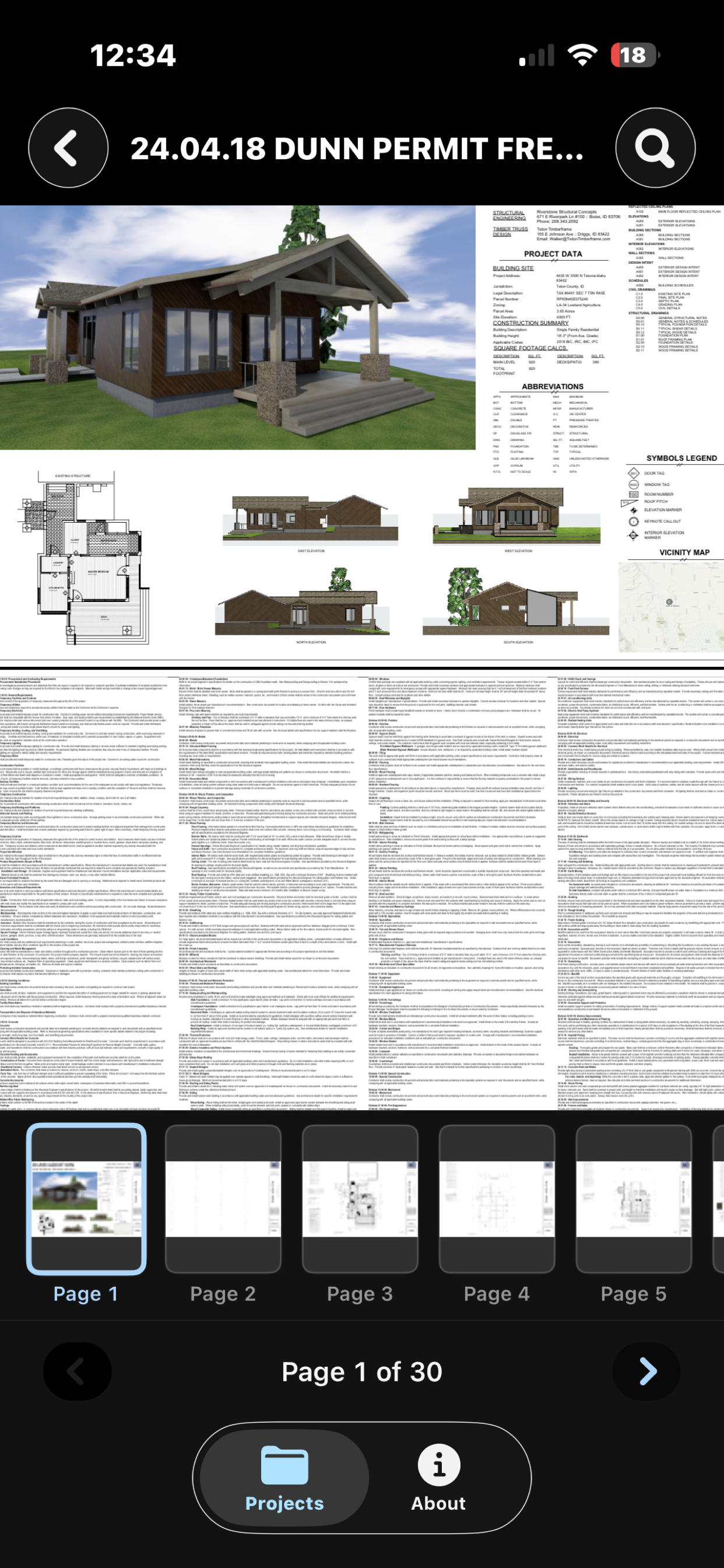
Open construction PDFs, move page by page, and find the source—while keeping project documents on your device.
Designed for iPhone, iPad, Mac, Windows, and Android.
PerPlan works locally. Project PDFs are not uploaded to a PerPlan account or cloud service.
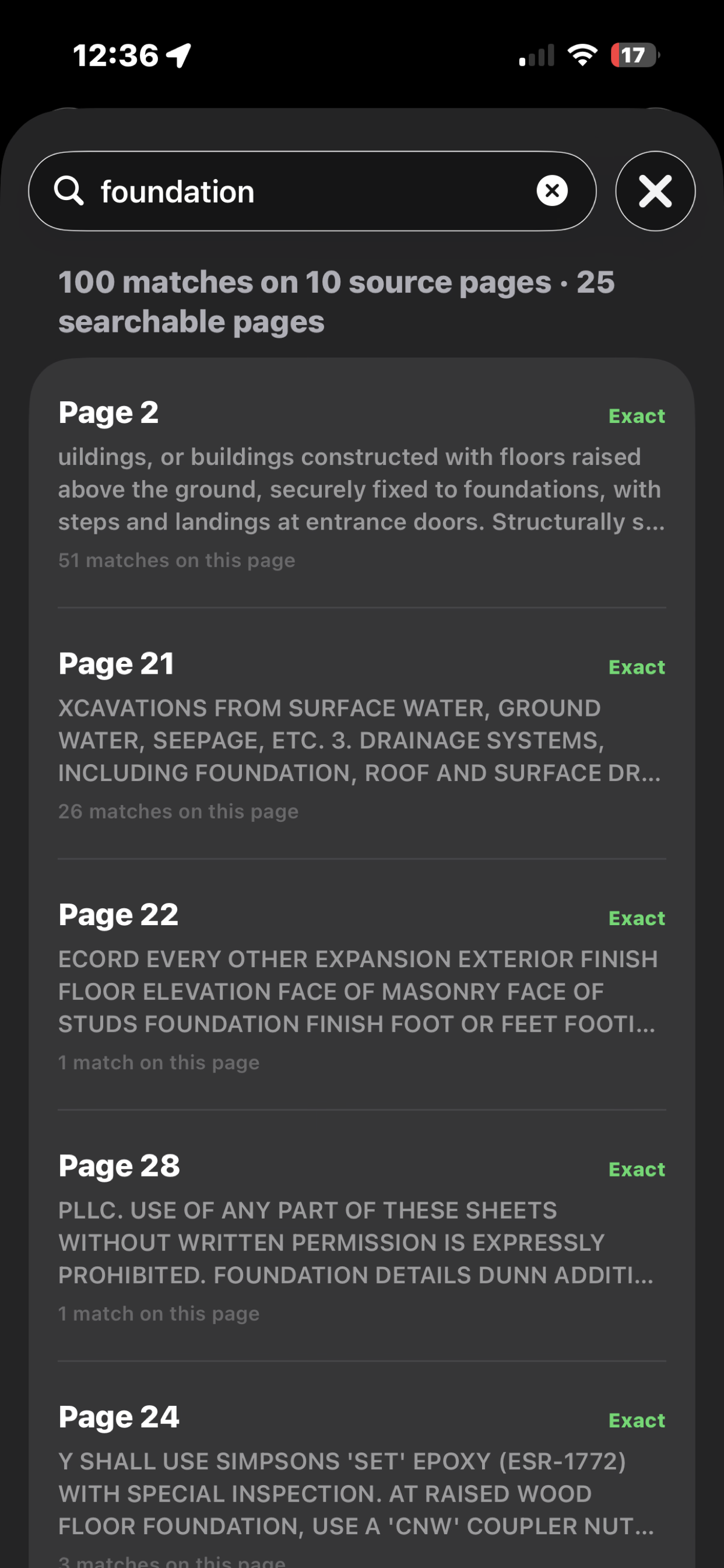
Search embedded PDF text and open a result directly on the page where it was found.
A focused project library, a clear viewer, and controls that stay out of the way.
Built for the moment you need the drawing—not another dashboard.
Support
Tell us what happened, which device you are using, and the step where you got stuck. Never email confidential plan files.
Email PerPlan supportFrom Projects, tap the plus button, name the project, and choose a PDF from Files. PerPlan creates a local project around that plan set.
Search uses text embedded in the PDF. Scanned image-only pages may not contain searchable text and are identified honestly as unavailable for text search.
Open the project and choose Replace PDF. Select the updated plan set from Files, then verify the page count and drawings.
No. PerPlan is a plan-reference and navigation tool. Always verify dimensions, specifications, and construction details against the stamped plan set and applicable requirements.
Privacy
Effective July 24, 2026
PerPlan does not require an account. The app does not include advertising, tracking, cloud sync, or third-party analytics. Project documents and search processing remain on your device.
PerPlan processes the PDF files you choose, project names, page information, and local search indexes to provide its features. This information is stored locally on your device and is not sent to PerPlan servers.
PerPlan does not collect or sell personal information through the app. The app does not share project documents or usage data with advertising networks, analytics providers, or data brokers.
If you contact support, your email provider sends the message and any details you choose to include. Support correspondence is used only to answer your request and may be retained as needed to maintain an accurate support history.
This website does not use advertising cookies or behavioral analytics. Its hosting provider may process basic technical request information, such as an IP address and browser type, to deliver and protect the site.
App data remains on your device until you delete a project or the app. A source PDF stored in Files remains under your control. You may request deletion of support correspondence by contacting us.
If PerPlan’s data practices change, this policy will be updated before those changes take effect. For privacy questions or deletion requests, email clydesroll@gmail.com.